
The Three Mobile Strategies
If you're launching a dating platform, the mobile question comes early. Do you build two separate native apps (one for iOS, one for Android)? Do you use a cross-platform framework like React Native? Or do you skip the app stores entirely and wrap your website in a PWA?
This decision shapes your timeline, budget, and user experience for years.
Native Apps - Separate codebases for iOS (Swift) and Android (Kotlin). You're writing the same feature twice. You get full access to device hardware (camera, microphone, geolocation) and can publish directly to App Stores. Users expect high polish. Development is slow and expensive.
Hybrid Apps - One codebase (React Native, Flutter, or Ionic). You write once, deploy to both platforms. Development is fast. Device access is almost as good as native. But you're always waiting for the framework to catch up to platform updates. Performance can lag on older devices.
Progressive Web Apps - Your dating site wrapped in a mobile-friendly experience. It works online and offline. It installs on home screens like an app. It has push notifications. Development is fastest. But browsers limit some device hardware access. User acquisition is harder (you can't rely on App Store browsing).
Native Apps: iOS and Android
Native development is the premium option. It's also the slowest and most expensive.
Why Native? - On iOS, your app can enforce strict privacy rules that browser-based competitors can't. You get access to Bluetooth, advanced camera controls, and Apple's security model. On Android, users expect certain UI patterns and behaviors that are natural in native code but clunky in cross-platform frameworks.
Apps in the "dating" category perform exceptionally well on App Stores. Users expect polish. 67% of dating app users download from App Stores specifically. If you go PWA-only, you lose this audience.
Development Cost and Timeline - Hiring native developers is expensive. Swift developers command $120-180k annually. Kotlin developers $100-150k. You need at least 2-3 developers per platform.
A basic dating app from scratch takes 4-6 months. A feature-rich one (video calling, live events, advanced matching) takes 8-12 months.
Most white-label providers offer native apps. They've done the upfront work. You pay licensing fees but avoid the development burden.
iOS Specifics - Apple requires you to use in-app purchase (IAP) for subscriptions and digital goods. You cannot direct users to your website to pay. Apple takes 30% of subscription revenue (15% year two). This is mandatory.
You need an Apple Developer Account ($99/year) and must pass App Review. Apple reviews for fraud, spam, and policy violations. Dating apps get extra scrutiny (inappropriate content, predatory behavior). Budget 1-2 weeks for first review, 3-5 days for updates.
Android Specifics - Google Play has different rules. You must use Google Play Billing for subscriptions. Google takes 30% (15% year two). But Google Play is more lenient on non-USD regions.
Android allows sideloading (installing apps outside Google Play). Some users in restrictive countries prefer this. You can distribute APKs directly. This bypasses store fees but loses discoverability.
Code Sharing Between iOS and Android - You're writing two separate codebases. They share no code. You need two QA environments. You have two different bug patterns and performance issues. A feature takes 2x longer to develop and test.
Some teams use cross-platform frameworks only for UI and share business logic (networking, database, matching logic) in a shared library. This helps but adds complexity.
Hybrid Apps: React Native and Flutter
Hybrid frameworks let you write once and deploy everywhere. This is pragmatic for most dating platforms.
React Native - Written in JavaScript/TypeScript, compiles to native code. 85% code reuse between iOS and Android. Massive community. Libraries for push notifications, geolocation, camera.
Major apps using React Native: Facebook Messenger, Shopify, Discord. They use it because it works at scale.
Downsides: performance on low-end Android devices (under $150 price point) lags. You still need native developers occasionally. Framework updates can break your app.
Flutter - Written in Dart, compiles to native code. 95% code reuse. Faster performance than React Native on mid-range devices. Hot reload (change code and see it instantly) improves developer experience.
Major apps using Flutter: Google Ads, Alibaba, eBay. Adoption is growing.
Downsides: smaller community. Fewer third-party libraries. Developers are harder to hire (Dart is rare).
Ionic - Web-based (React or Angular), wraps in native shell. This is closer to PWA than true hybrid. Useful if you have web developers but need App Store presence.
Downsides: performance is poor on older devices. Users notice it's not truly native.
Development Cost and Timeline - React Native: 2-3 months for basic dating app, $40-80k. You need 1-2 developers.
Flutter: Similar timeline, $40-80k. Slightly faster on performance-heavy features (video, real-time matching).
Ionic: Fastest (6-8 weeks), cheapest ($30-50k), but performance feels compromised.
Third-Party Libraries and Integrations - React Native has libraries for Twilio (calling), Firebase (notifications), and payment processors. Plugin ecosystem is mature.
Flutter is catching up. Major SDKs (Firebase, Stripe) have Flutter support. But specific libraries (some dating APIs, niche payment processors) may not exist. You might need custom native code.
Device Hardware Access - Both frameworks can access camera, microphone, geolocation, Bluetooth. React Native exposes more hardware features natively. Flutter occasionally lags.
For dating apps, you need:
- Camera (photo uploads, video calls) - both excellent
- Microphone (voice messages, calls) - both good
- Geolocation (showing nearby users) - both excellent
- Push notifications - both excellent
Progressive Web Apps (PWA)
A PWA is your dating website enhanced to work like an app. Users install it on their home screen. It works offline. It sends push notifications.
How PWAs Work - You deploy a website (React, Vue, Angular) with a service worker. The service worker caches assets and handles offline scenarios. Users visit your site in a browser, tap "Add to Home Screen" (iOS) or "Install App" (Android), and get an app-like experience.
Google Lighthouse scores measure PWA quality. A 90+ score is excellent.
Advantages - Development is fastest (2-4 weeks for a basic PWA). Cost is lowest ($15-30k). Code works across all devices. No App Store gatekeeping. Push notifications work. Offline mode improves retention.
Users in emerging markets (India, Southeast Asia, Africa) prefer PWAs because they use less data and work on cheap Android devices.
Disadvantages - Browser APIs limit hardware access. You can access geolocation and camera, but Bluetooth is restricted. Swiping through profiles uses more CPU and battery than native apps.
No app store visibility means you must drive users via ads, referral, or SEO. Users don't browse dating PWAs the way they browse dating apps.
iOS PWA support is weak. iOS treats PWAs like regular websites. No push notifications on iOS (Apple intentionally restricts this to native apps). Users experience worse performance.
Offline Capability - This is a big win for PWAs. Your matching feed, chat history, and profiles cache locally. Users see content instantly. When they regain connection, data syncs.
Native apps can do this too, but PWA offline-first design is simpler.
Push Notifications - PWAs send push notifications on Android (excellent support). On iOS, they're limited. Users see them only while the browser is open. This severely limits engagement.
Dating apps rely on push notifications for monetization (someone liked you, upgrade now). PWA limitations hurt revenue.
Device Storage - PWAs have generous browser storage (IndexedDB, 50GB+ on Android, 5GB on iOS). You can cache conversations, photos, and profiles offline.
Native apps typically allocate 100-500MB for app installation and data storage.
Cost and Timeline Comparison
This table assumes starting from a white-label platform (not from scratch):
| Approach | Upfront Cost | Timeline | Monthly Maintenance | Best For |
|---|---|---|---|---|
| PWA Only | $15-30k | 2-4 weeks | $3-5k | Bootstrapped, emerging markets |
| Hybrid (React Native) | $40-80k | 2-3 months | $8-12k | Most platforms, fast growth |
| Hybrid (Flutter) | $45-85k | 2-3 months | $8-12k | Performance-critical features |
| Native (iOS only) | $60-120k | 4-6 months | $10-15k | Premium positioning |
| Native (Android only) | $50-100k | 4-6 months | $10-15k | Emerging markets |
| Native (iOS + Android) | $120-200k | 6-12 months | $15-25k | Premium, top-3 app store |
| Hybrid + PWA Combination | $70-120k | 3-4 months | $12-18k | Maximum reach |
Note: Costs assume you're extending a white-label platform with a mobile layer, not building from scratch.
Feature Parity and Performance
Here's what each approach can do:
!Mobile app strategy comparison native hybrid PWA cost timeline *Mobile app strategy comparison native hybrid PWA cost timeline*
| Feature | Native | React Native | Flutter | PWA |
|---|---|---|---|---|
| Push Notifications | Excellent | Excellent | Excellent | Good (Android), Poor (iOS) |
| Offline Messages | Excellent | Good | Good | Excellent |
| Video Calling | Excellent | Good | Good | Good |
| Camera & Photos | Excellent | Excellent | Excellent | Good |
| Geolocation | Excellent | Excellent | Excellent | Excellent |
| App Store Distribution | Excellent | Excellent | Excellent | None |
| Performance on Low-End Devices | Excellent | Fair | Good | Fair |
| Battery Efficiency | Excellent | Good | Good | Fair |
| Bluetooth/Hardware | Excellent | Good | Good | Limited |
| Speed to Market | Slow (6-12 months) | Fast (2-3 months) | Fast (2-3 months) | Very Fast (2-4 weeks) |
| Developer Availability | Hard (Swift, Kotlin) | Easy (JS/TS) | Medium (Dart) | Easy (JS/TS) |
Performance Reality - Native apps are objectively faster. You notice this on swiping through 100 profiles or loading large photo feeds.
React Native and Flutter close the gap on modern devices (iPhone 12+, Galaxy S21+). On devices 3-4 years old, native wins.
For dating apps, swiping performance matters psychologically. Users associate lag with a cheap product. If your app stutters when swiping, users churn.
App Store Requirements and Revenue
App Store Review - Both Apple and Google review dating apps for fraud and safety.
Apple's checklist: does your app verify user identity? Do you have blocking/reporting? Are there no obvious spoof profiles? Are you compliant with privacy rules?
First review takes 1-2 weeks. Updates take 3-5 days typically.
Google is faster (1-3 days) but more lenient.
Subscription Revenue Share - Apple and Google both take 30% of subscription revenue for the first year, 15% thereafter (if you've retained the user). Some regions have different rates.
For a dating app averaging $60 annually with 80% retention, this is significant. On 100k users, that's $4.8M gross and $1.2M paid to Apple/Google.
Workaround: Web Checkout - Some platforms use a hybrid approach: free app in stores, web-based subscription enrollment. Users enroll on your website and install the app separately.
Apple and Google are cracking down on this. If they detect you're directing users away from in-app purchase, they'll reject your app or remove it.
Paid vs Free Models - Dating apps rarely charge for the app itself (paid download). Almost all are free to install, monetized via subscriptions and in-app purchases.
Freemium is standard: limited free features (5 likes per day, no messaging) push users toward subscriptions ($20-40/month).
Common Mobile Decisions
Should I launch iOS or Android first? - Launch both simultaneously if you can. The dating app market is 60% iOS, 40% Android. Launching Android-only misses revenue.
If budget forces a choice, start with iOS. iOS users spend more per capita and tolerate premium pricing. Your App Store ranking matters.
Should I add a web version too? - Yes. 20-30% of your users will prefer the browser. Desktop users sign up for long dating sessions. Mobile users swipe in short bursts.
Sync data between web and mobile seamlessly. A match on mobile should appear on web.
Should I support older devices? - For iOS: support last 3-4 generations (back 2-3 years). Older users are often wealthier and spend more, but old devices are slow.
For Android: supporting back to Android 10 (released 2019) is reasonable. Going older increases testing burden.
Offline-first or Online-only? - Most dating platforms start online-only. Once you hit 100k users and want to improve retention by 10-15%, invest in offline support.
For PWAs, offline-first is native. For native apps, it's extra work.
Should I use a white-label app or custom code? - Most white-label providers ship apps (usually hybrid). It's easier to customize and cheaper to launch.
Only build custom apps if you have specific UX needs that no provider supports. Otherwise, you're burning 3-6 months unnecessarily.
Choosing Your Mobile Strategy
Compare all platform options on mobile capabilities. Understand app vs website approaches for your timeline and budget. And learn development costs for different mobile strategies.
*Caption: Mobile app strategy comparison showing cost, timeline, user experience quality, and market reach for native, hybrid, and PWA approaches.*
Key Takeaways
- Three approaches exist: native (slow, expensive, premium), hybrid (fast, moderate cost, pragmatic), and PWA (fastest, cheapest, limited reach).
- Hybrid (React Native) is the pragmatic choice for most dating platforms. Development is 2-3 months, cost is $40-80k.
- Native apps command App Store visibility and 67% of users expect to download from stores, not PWAs.
- PWAs are fast and cheap but weak on iOS - push notifications don't work, and users expect an app, not a website.
- App Store fees are 30% (year 1) or 15% (year 2+) of subscription revenue. Plan for this in your unit economics.
- Performance matters psychologically - swiping lag, slow message delivery, and photo loading delays cause churn.
- Start with hybrid + PWA if you want global reach and maximum speed to market. Add native apps after product-market fit.
- Support both iOS and Android simultaneously - dating markets are 60% iOS, 40% Android. Android-only leaves revenue on the table.
- User expectations are high - compare your app to Tinder, Bumble, Hinge in polish and performance. Don't compromise.
Next: Explore AI features that actually move the needle in dating platforms.
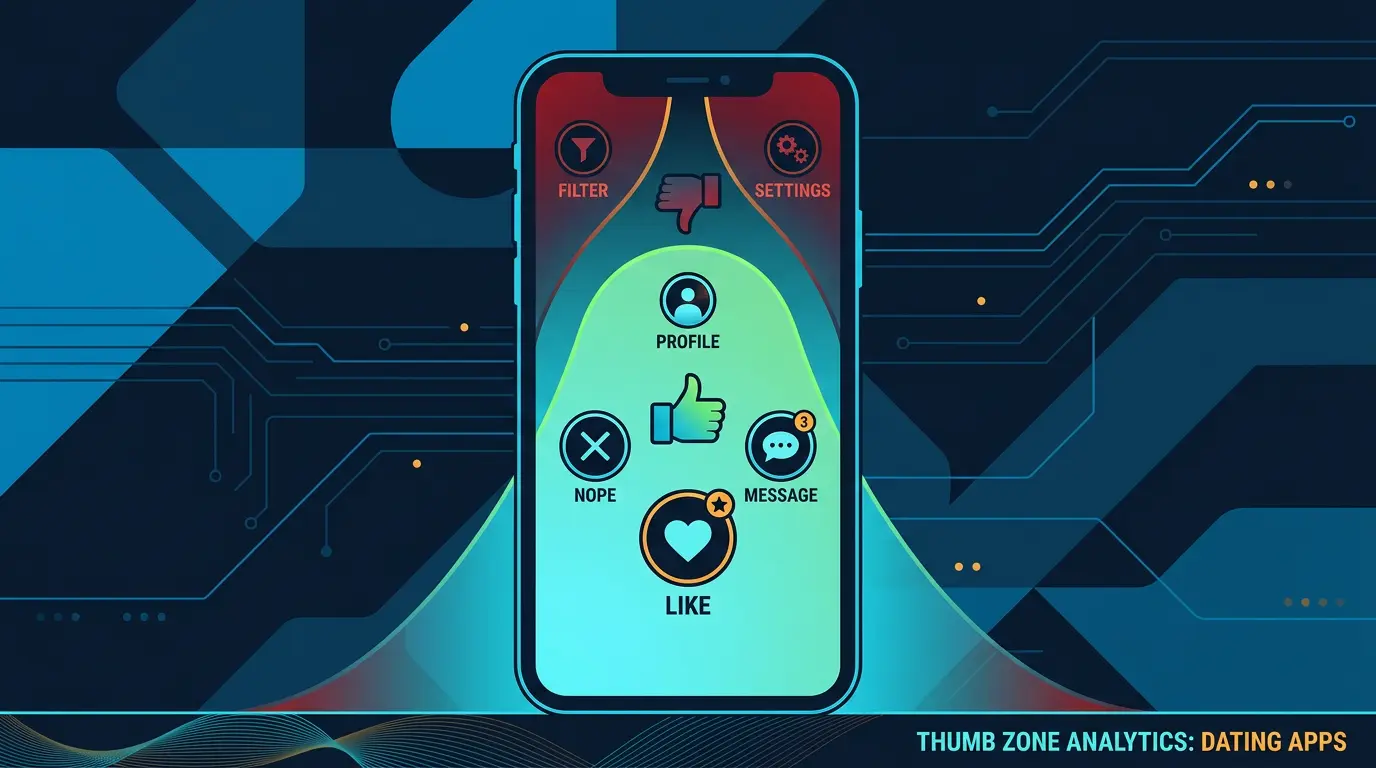
Mobile UX wins retention. DatingPartners apps ship with thumb-zone tested flows. Try the demo.
Visit DatingPartners.com →