
Why Reporting Systems Matter
Most bad behavior on dating platforms is caught by users, not algorithms. A user sees a scammer, a predator, or someone violating community guidelines and reports it. If you make that reporting easy and respond quickly, you've turned your community into your first line of defense.
Bad reporting systems create problems:
- Users stop reporting (nothing happens anyway)
- False reports pile up (users report for personal reasons)
- Legitimate issues go unhandled (reports don't get seen)
- User trust erodes ("This platform doesn't care about safety")
Good reporting systems create virtuous cycles:
- Users report often because they see results
- Moderators get quality signals about who's problematic
- Bad actors leave because they're caught quickly
- Trust compounds
Report Categories and Taxonomy
What can users report? Your categories determine what behavior you actively monitor.
Suggested Report Categories
User-focused reports:
- Fake profile or catfishing
- Underage person
- Harassment or bullying
- Sexual harassment or unwanted sexual content
- Threatening behavior or violence
- Scam or fraud
- Human trafficking or exploitation
Content-focused reports:
- Sexually explicit photos or videos
- Nudity
- Hate speech
- Violence or graphic content
- Self-harm content
Platform-focused reports:
- Spam or repetitive messages
- Copyright infringement
- Commercial solicitation (selling products, promoting business)
Creating Your Taxonomy
Keep categories simple. 15+ categories confuses users; they don't know where to report. 5-8 categories is clearer.
Group semantically:
- Safety (scams, exploitation, harassment)
- Appropriateness (explicit content, hate speech)
- Platform abuse (spam, commercial)
For each category, write a brief description: "Scam or fraud: This person is attempting to trick others or extract money."
Sensitive Categories
Some reports require immediate escalation:
- Anything involving minors (fake underage profile, child exploitation)
- Violence or threats of violence
- Sexual harassment or assault
- Human trafficking or exploitation
These go to senior moderators or law enforcement within hours, not days.
In-App Reporting Flow Design
Users should be able to report in 3 clicks. Friction kills reporting.
Minimum Reporting Flow
Step 1: Initiate User sees a "Report" button or icon on a profile or message.
``` Profile screen: [Profile photo] [Name, age, location] [About section] [Menu button] ... [Report option]
Conversation screen: [User message] [Menu button] ... [Report message] [Report user] ... [entire conversation] ```
Step 2: Category "What's the problem?" with radio buttons or dropdown. No character limit, but make category selection mandatory.
``` o Fake profile or catfishing o Harassment or bullying o Sexual harassment o Threatening behavior o Scam or fraud o Underage person o Explicit content ```
Step 3: Confirmation "Thanks for reporting. We'll review within 24-48 hours." Quick, clear, reassuring.
Optional: Context Collection
For some categories, ask follow-up questions:
``` Reported category: Scam or fraud
Add context (optional):
- Did they ask for money? [Yes/No]
- Did they ask to move off platform? [Yes/No]
- Any details? [Text field]
```
This helps moderators understand the issue faster.
Mobile-First Design
Dating apps are mostly mobile. Reporting must work on small screens.
``` Mobile flow:
- Tap menu on profile
- Select "Report" from menu
- Choose category from short list
- Tap "Submit"
- See confirmation
Total steps: 4, total time: <30 seconds ```
Accessibility Compliance
- Report button is keyboard accessible (not hidden in a dropdown)
- Form labels are associated with inputs
- Error messages are clear and tied to fields
- You can report without using specific colors or buttons (alternatives provided)
Response Time SLAs
Users care about speed. If reports go unanswered for weeks, users stop reporting.
Recommended SLA Structure
| Report Type | First Review | Action Taken | User Notified |
|---|---|---|---|
| Explicit content, obvious spam | <4 hours | <12 hours | <24 hours |
| Harassment, scam with evidence | <24 hours | <48 hours | <48 hours |
| Unclear reports (needs investigation) | <24 hours | <1 week | <1 week |
| Underage person | <2 hours | <4 hours | Do not notify (security) |
| Violence or threats | <4 hours | <24 hours | <24 hours |
| Appeals (user disputes action) | <24 hours | <48 hours | <48 hours |
What "First Review" Means
A human moderator has looked at the report and either:
- Determined it's actionable (take action)
- Determined it needs investigation (gather more info)
- Determined it's not a violation (dismiss)
Users don't need to know every step, but they should know their report was seen.
Scaling SLAs
| Platform Size | Expected Reports/Day | SLA Compliance Cost |
|---|---|---|
| 10k DAU | 20-50 | 1 moderator handles it |
| 100k DAU | 200-500 | 3-5 moderators |
| 1M DAU | 2k-5k | 15-30 moderators |
SLA compliance is a leading indicator of safety culture. If you miss SLAs regularly, you've got a scaling problem.
Feedback Loops and User Communication
Users want to know their report mattered. If you don't tell them, they assume you ignored it.
Notification Tiers
Tier 1: Report received Immediate notification (in-app notification or email): "Thanks for reporting. We received your report and will review it within 24 hours."
This costs nothing and builds confidence.
Tier 2: Action taken If you take action against the reported user: "We reviewed your report and have taken action. Thanks for helping keep our community safe."
This doesn't require detail (don't say what action). Just confirm that something happened.
Tier 3: Unable to confirm If you investigated and found no violation: "We reviewed your report. While we didn't find a policy violation, we appreciate you helping us maintain community standards."
This explains why you didn't act (important for user trust).
What NOT to Do
- Don't tell users specifically what action you took (privacy of accused user)
- Don't explain in detail why you decided a certain way (invites appeals and debate)
- Don't share identifying information about the reported user
- Don't send notifications publicly (always private in-app or email)
Feedback Loop Timing
- Tier 1 (received): Instant
- Tier 2/3 (decision): Within SLA timeframe
- Keep notifications brief (one short paragraph)
Escalation Procedures
Not all reports are created equal. Some need immediate escalation to trust and safety leadership or law enforcement.
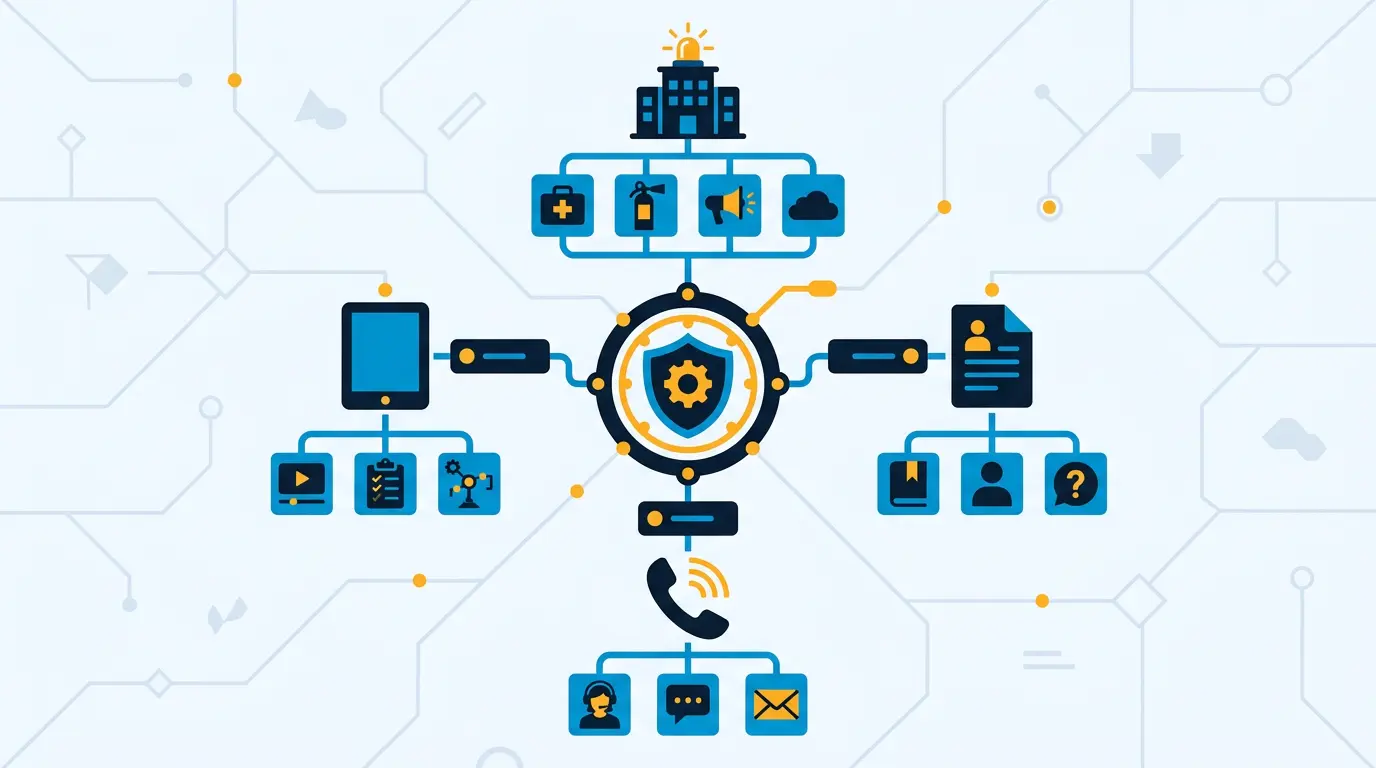
!User reporting system workflow showing intake, triage, and resolution *User reporting system workflow showing intake, triage, and resolution*
Escalation Criteria
Automatically escalate to management/law enforcement if:
- Report involves a minor or child safety
- Report describes violence or threat of violence
- Report alleges human trafficking or exploitation
- Report alleges sexual assault
- Reported user has pattern of similar reports
- Report involves potential criminal activity (fraud, blackmail, extortion)
These go to a senior moderator or manager, not a front-line moderator. Some go to law enforcement.
Escalation Process
``` Report received -> Categorized by system -> If high-risk category: -> Flagged for escalation queue -> Senior moderator review within 2 hours -> Investigation or law enforcement referral -> If normal category: -> Goes to standard moderation queue ```
Law Enforcement Referral
Serious crimes (violence, exploitation, trafficking) may warrant law enforcement referral. Have a process:
- Document the report thoroughly
- Preserve evidence (don't delete messages, screenshots)
- Note law enforcement requests
- Respond to law enforcement requests with documented procedures
This is where external legal counsel helps.
Managing False Reports
Some reports are malicious (user reporting rival to remove them), some are misunderstandings, some are users abusing the system.
False Report Types
Malicious reports: "I reported my ex to get them banned."
Misunderstanding: User doesn't understand policy. They report for reasons you don't actually action (user is attractive? user didn't message back?).
Spam reports: Single user filing hundreds of reports, most invalid.
Handling False Reports
First few: Give users benefit of doubt. They're learning your policies.
Pattern: If same user files 10+ reports and 80% are invalid, start monitoring their account. After 20+ false reports, consider warning or account restrictions.
Malicious: If user is clearly trying to game the system, document it. They're abusing safety tools.
Don't Punish Honest Mistakes
Users sometimes report honestly but wrong. That's fine. Don't penalize users for good-faith reports that turned out to be mistakes. You want users reporting, not hiding concerns.
Only address patterns of abuse, not individual false reports.
Data and Analytics
Your reporting data reveals a lot about platform health and user trust.
Key Metrics to Track
Volume metrics:
- Reports per day, week, month
- Trend (growing, shrinking, stable?)
- Reports per 1,000 DAU (normalized across platform size)
Category breakdown:
- What's most reported? (reveals biggest problems)
- Are categories balanced or dominated by one type?
Response performance:
- % of reports reviewed within SLA
- Average time to first review
- Average time to action/decision
Action rates:
- % of reports resulting in account suspension
- % resulting in content removal
- % dismissed as non-violations
- False positive rate (user appeals and we overturn decision)
User trust indicators:
- Do users report repeat offenders or different people?
- Are reports clustered around specific user types?
- Do users appeal decisions often?
What These Numbers Tell You
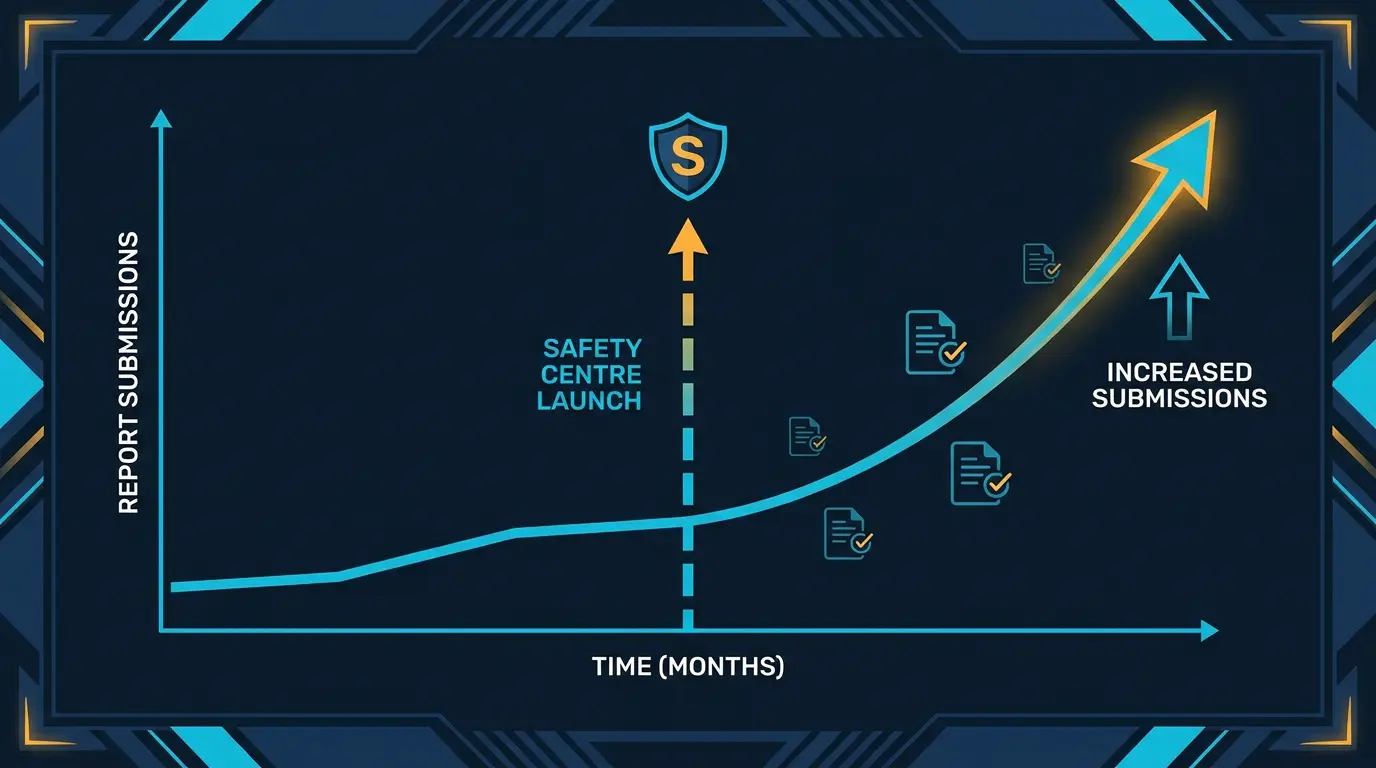
If reports are growing fast, you have an influx of bad actors, or users are gaining confidence in reporting (both are signals to investigate).
If false positive rate is high (20%+), your moderators might be making quick decisions or your policies are unclear.
If report volume is flat while DAU grows, users aren't confident in reporting. Something's wrong.
Key Takeaways
- Reporting is your front line of defense. User vigilance catches problems moderators miss.
- Design for speed: users should report in 3 clicks or less. Friction kills reporting.
- Clear categories help users know what to report. 5-8 categories is ideal; too many confuses.
- Fast response matters more than perfect response. Review within 24 hours and notify users.
- Tell users their report was received. Tell them (briefly) what happened. Radio silence kills trust.
- Escalate serious issues (minors, violence, trafficking) immediately. These go to management and potentially law enforcement.
- Track false reports, but don't punish honest mistakes. Only address patterns of abuse.
- Monitor reporting metrics: volume, categories, response time, action rates. These reveal platform health.
Your reporting system is how users participate in safety. Build it well.
Cross-link to: Content Moderation for Dating, Build Your Moderation Team, CSEA Compliance
Smooch safety centre is the model. DatingPartners will deploy a customised version for you.
Visit DatingPartners.com →